
Move a Matter to Nearline Status
Client Admins have the option to move an active Matter to "Nearline" status, which temporarily restricts access to the matter while reducing monthly hosting costs. While in Nearline status, all aspects of the Matter are completely preserved but are otherwise unavailable to users.
Nearline Status Considerations
- Most Spectra Matter functions are disabled while it is in Nearline status, including:
- User Assignments
- Imports
- Processing
- Exports
- Access to associated Relativity Workspaces and Brainspace datasets is disabled for all users.
- Matters may be deleted directly from Nearline status without the need to restore to Active status first
Moving a Matter to Nearline Status
-
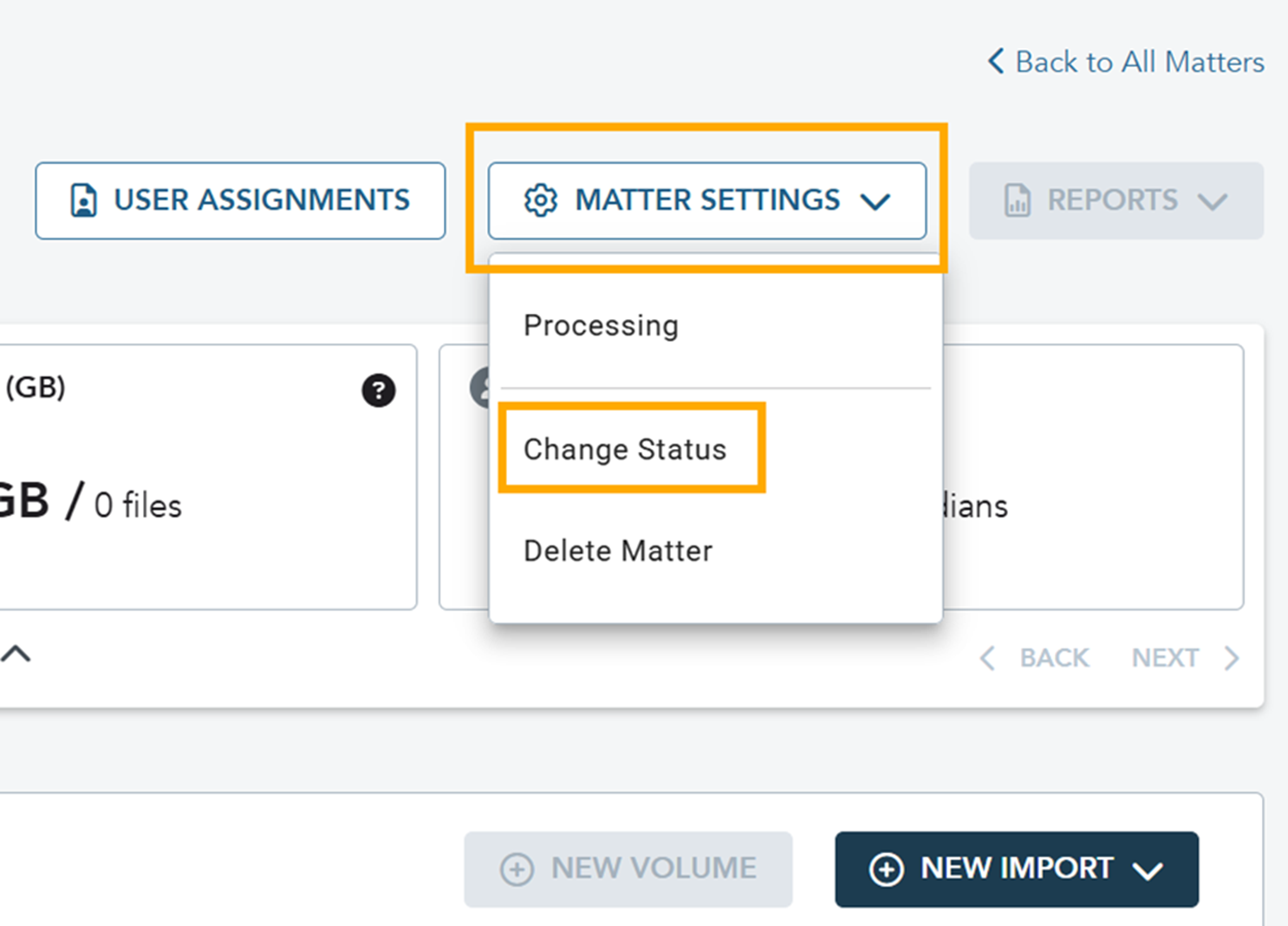
From the Matter details page, click on Matter Settings -> Change Status
-
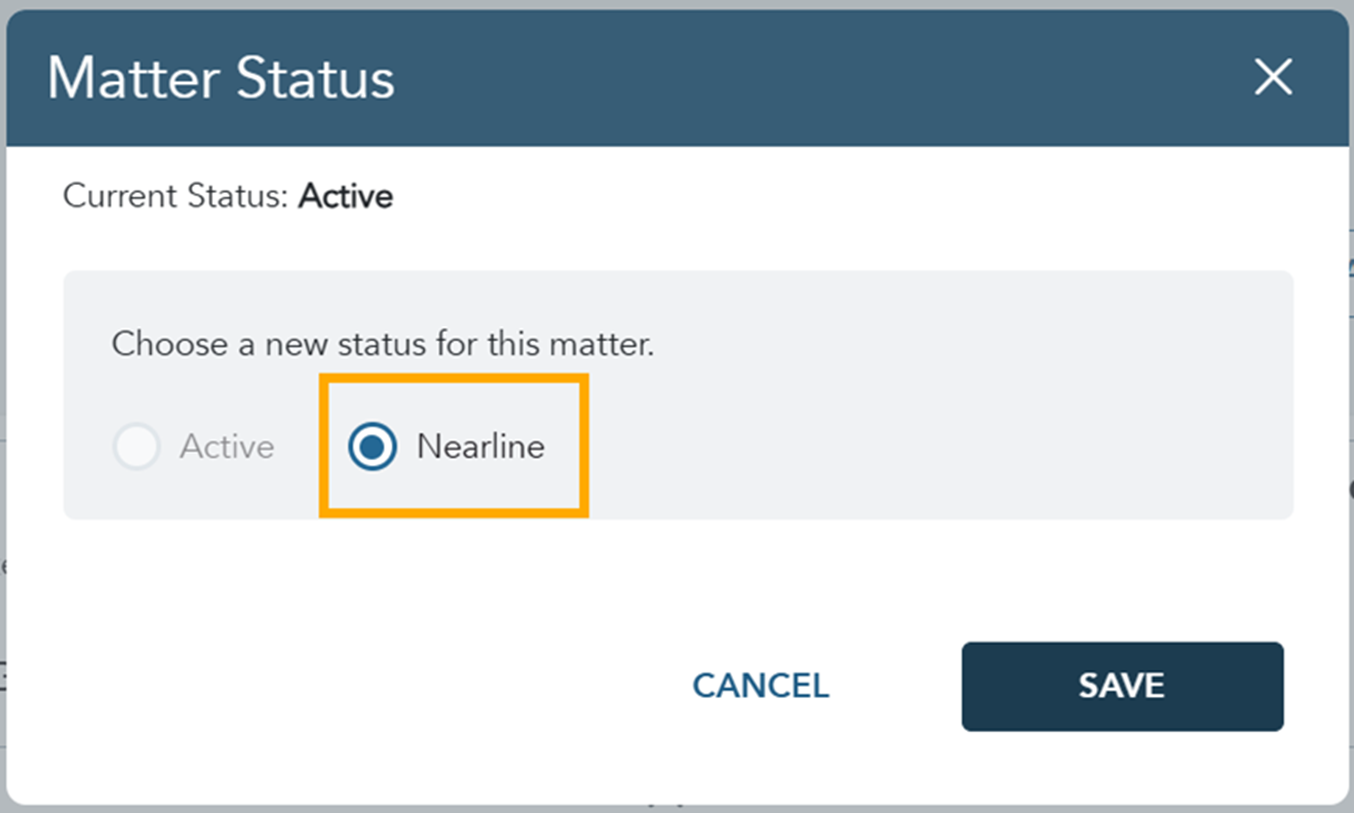
Select the ‘Nearline’ radio button and click Save.
-
Matter Status on the Matter list will change to "Nearline - Pending" while the operation is in progress.
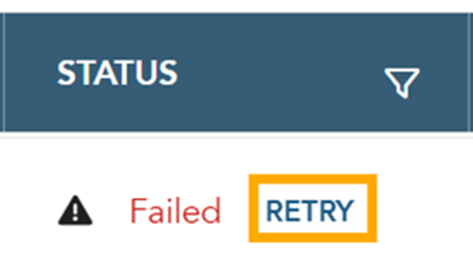
If transition to Nearline status fails for some reason, status will change to "Failed" and a retry option is presented on the Matter list.
-
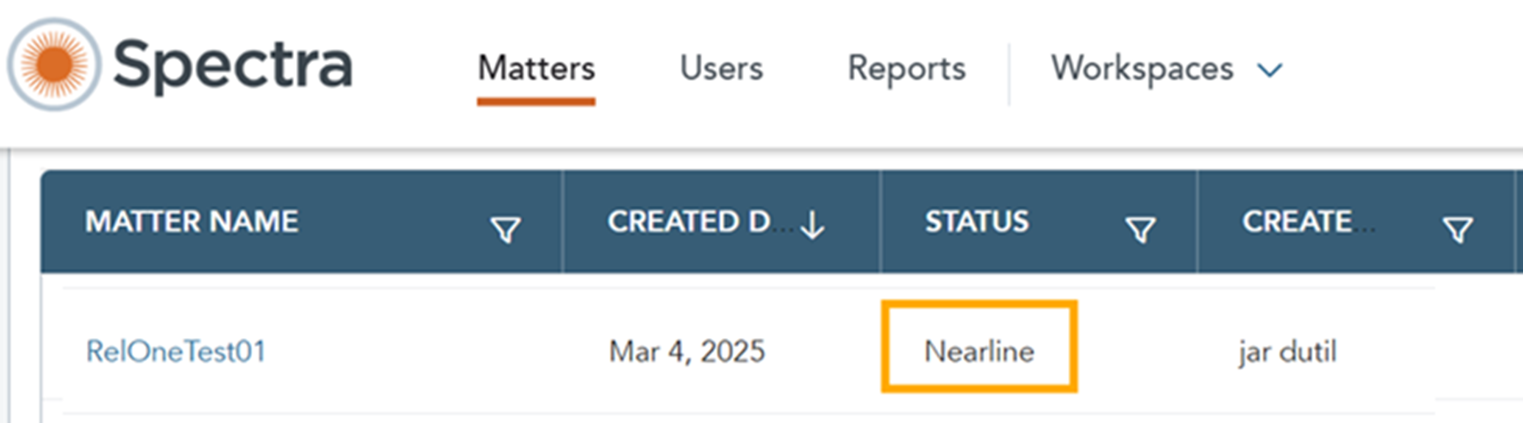
Once completed, the Matter status will update to "Nearline"
Restore a Nearline Matter to Active Status
- From the Matter details page, click on Matter Settings -> Change Status.
-
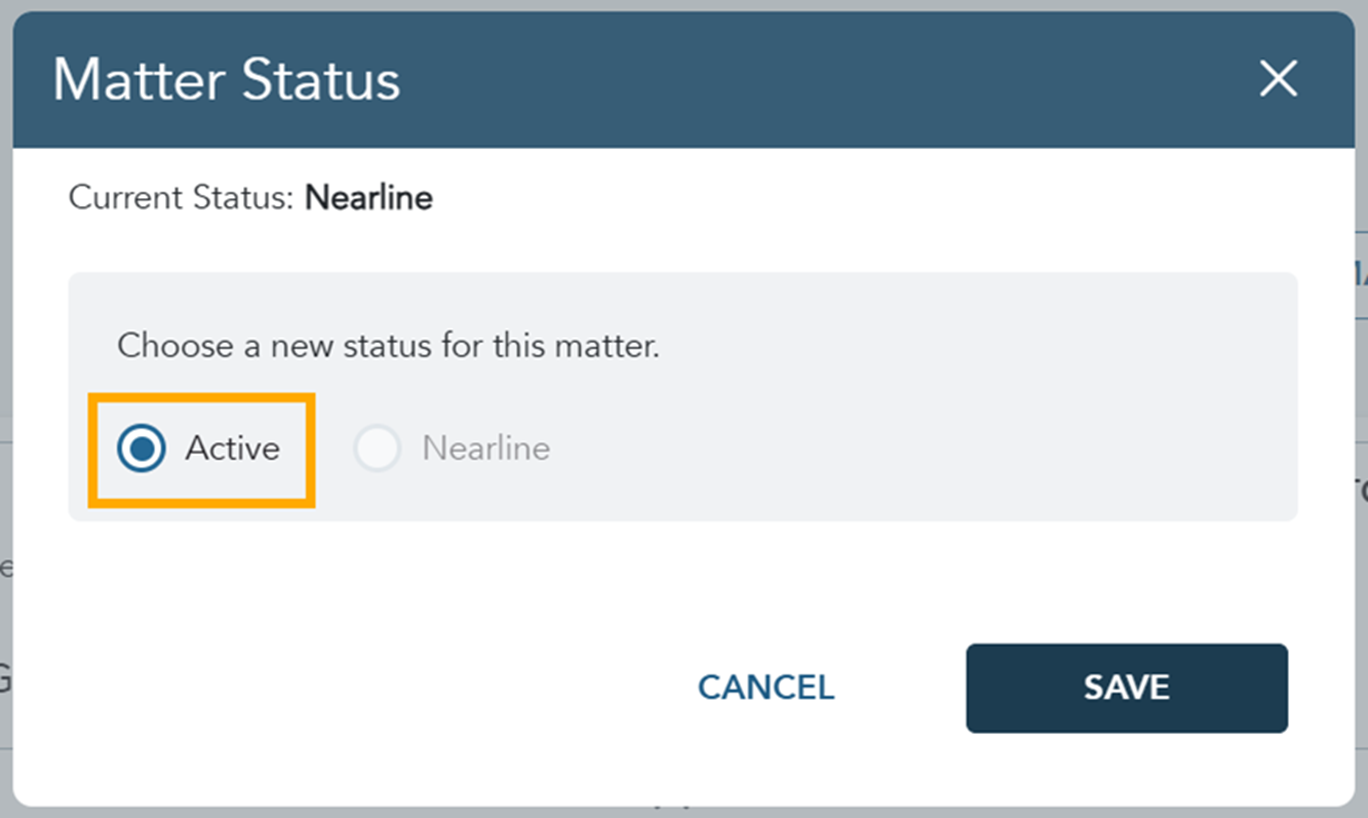
Select the ‘Active’ radio button and click Save.
-
Matter Status on the Matter list will change to "Active - Pending" while the operation is in progress.
If transition to Active status fails for some reason, status will change to "Failed" and a retry option is presented on the Matter list.
- Once completed, the Matter status will update to "Created."